For each dictation module in your assignments, you can edit the tempo range and number of hearings allowed. To do so, go to Instructor Tools > Assignment Editor > Click the Assignment > Scroll down to the Dictation module you wish to edit > Click the Pencil tool > Scroll until you see this:
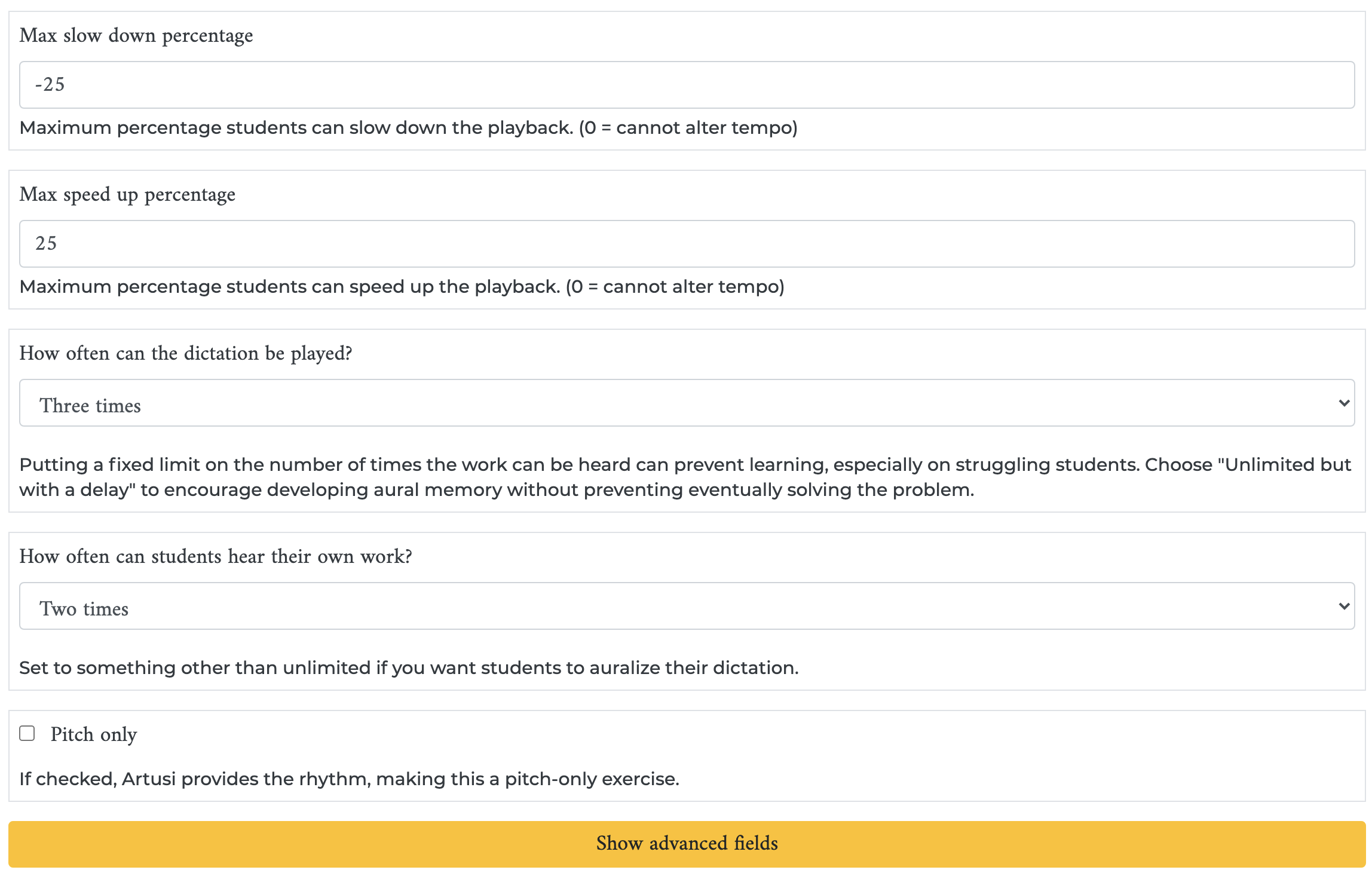
To set the allowable tempo range, set the “Max slow down percentage” to the slowest you want the students to be able to go (for instance, I’ve put -25, or 25% slower), the set the “Max speed up percentage” to the fastest you want the students to be able to go (for instance, I’ve put 25, or 25% faster).
You can also adjust how often the dictation example will be played and how often students can hear back their own work. Each of these can range from one time to unlimited times.
Was this article helpful?
That’s Great!
Thank you for your feedback
Sorry! We couldn't be helpful
Thank you for your feedback
Feedback sent
We appreciate your effort and will try to fix the article